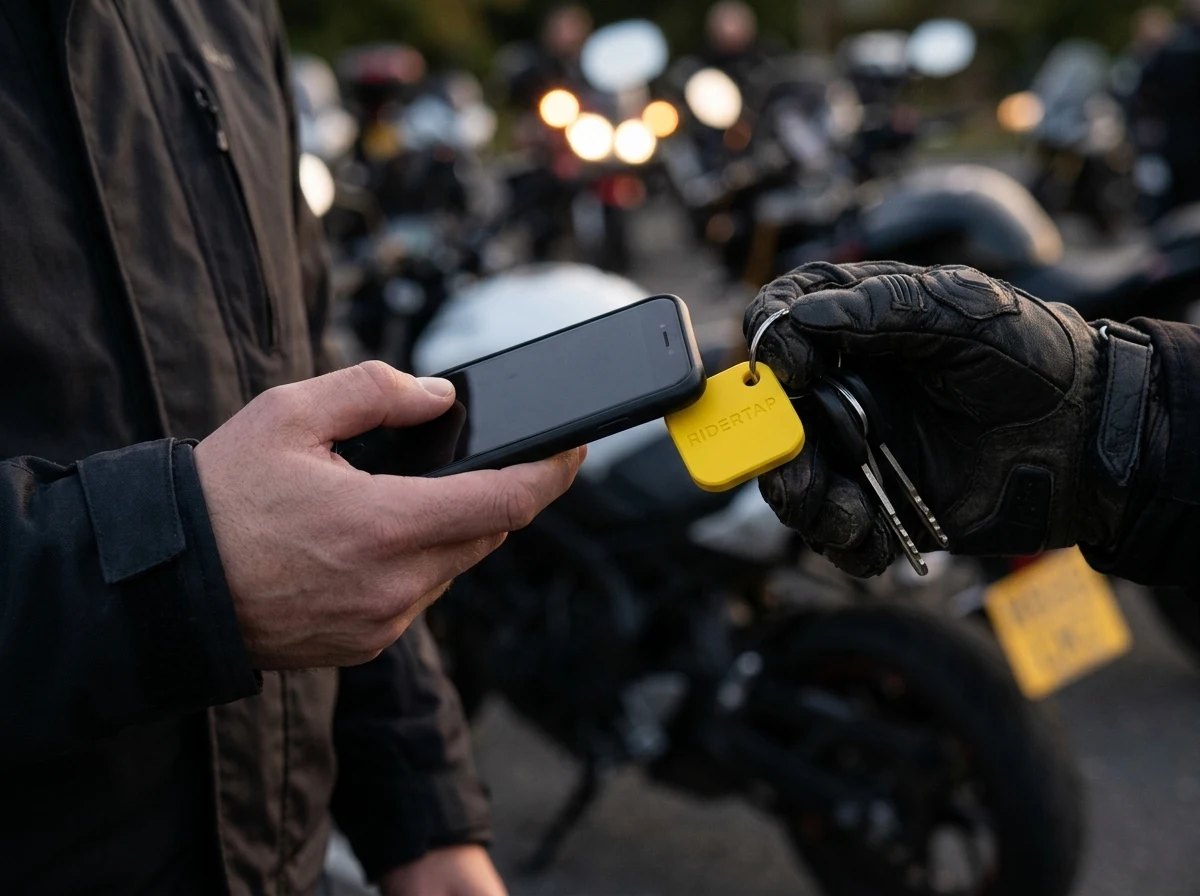
Hold a phone near it. That's it
No app to download. No battery to charge. Any modern phone opens your page the moment it touches the fob.
- Works like contactless payment
- The person tapping uses their own phone
- Your phone can stay locked in your pocket
The same thing as contactless payment.
Inside every RiderTap is a small chip holding a web link. When a phone comes within a couple of centimetres, it powers the chip for a moment, reads the link and opens a web page. It's called NFC, short for near-field communication.
There's no battery, no Bluetooth and no tracking. The chip can't do anything until a phone is right next to it.
iPhone
iPhone XS and newer: hold the top edge of the phone near the fob with the screen on. iPhone 7 to X: open Control Centre and tap the NFC reader first.
Android
Most Android phones have NFC. Make sure it's switched on (Settings → Connections → NFC), then hold the middle of the back of the phone near the fob.
Through a case?
Usually yes. Very thick cases or ones with metal plates or magnets can get in the way. Hold still for a second.
No signal?
The phone opening the page needs mobile data or Wi-Fi. The fob itself needs nothing.
Tap it once to set it up.
When your fob arrives, tap it with your own phone. A setup page opens in your browser.
- 1 · Make your accountYour email and a password. This is how you edit your fob later, and how only you can.
- 2 · Add emergency contacts (optional)Up to three people, with tap-to-call numbers. Add medical info only if you want to.
- 3 · Add your ride (optional)Your bike, socials and photos, for sharing at meets.
Change anything, any time, at your dashboard.
Built so anyone can help.
Tap it, press the big button
Any phone opens your page. One button shows your emergency contacts as tap-to-call buttons, plus medical info if you've shared it.
Instructions on the fob
The back of every fob says TAP PHONE in big letters, so someone who's never heard of RiderTap knows what to do.
A way back to you
If someone finds your keys, they can send you a message from the same page. They never see your number or email.
RiderTap is an information-sharing tool, not an emergency service. We can't promise anyone will check it. In an emergency, always call 999.